UX & UI
Myda
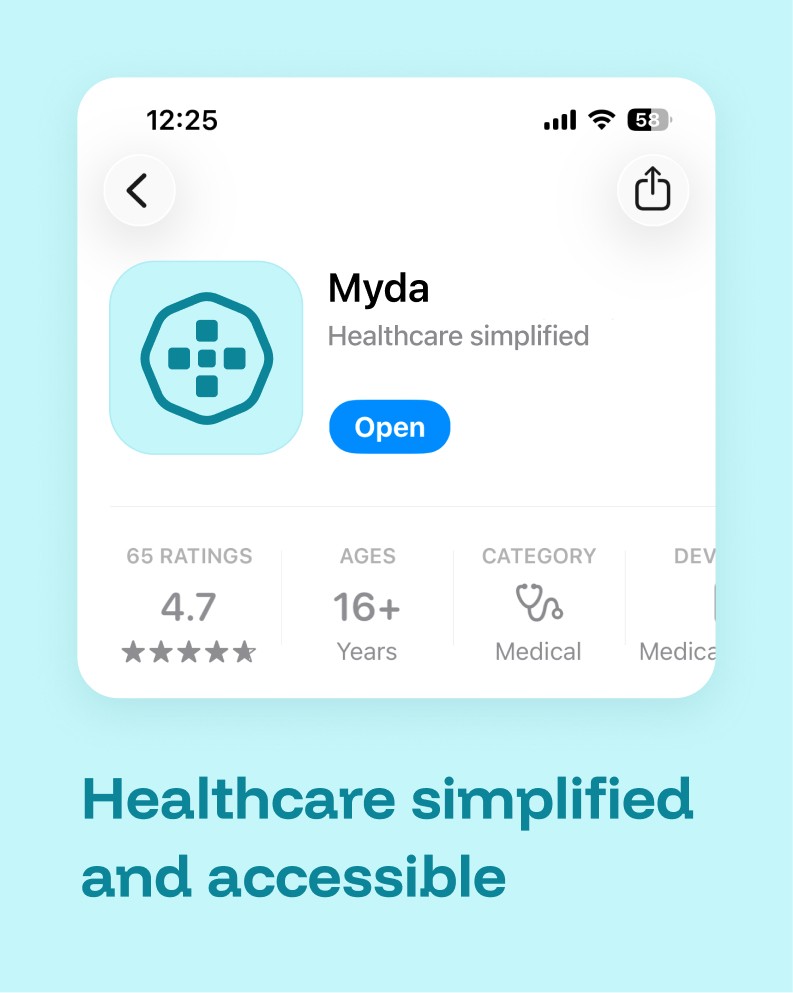
Myda is a mobile health platform that transforms paper medical records into a personal digital assistant. The app puts all your health data—appointments, prescriptions, test results, and treatment plans—in one accessible place, while connecting patients directly with doctors and nurses.
I helped shape the product's user experience and visual identity from concept to completion.

My role
User research and strategy
UX and UI design
Design system and visual identity
Results
Reduction in missed appointments through calendar sync
Improved treatment adherence rates
Decrease in unnecessary doctor visits via nurse and AI chat
Eliminated prescription renewal visits for chronic patients
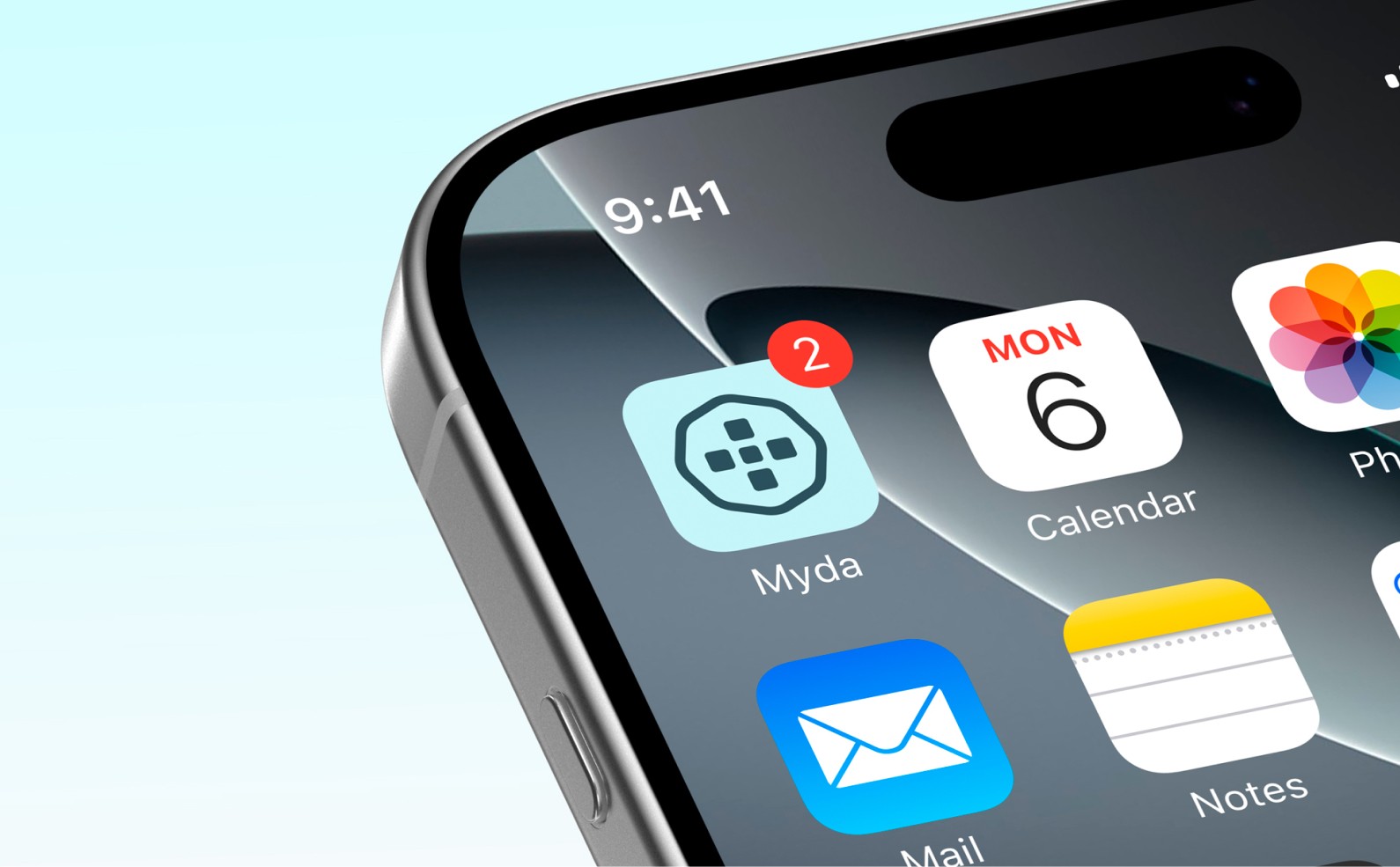
Medical records are broken for most people.
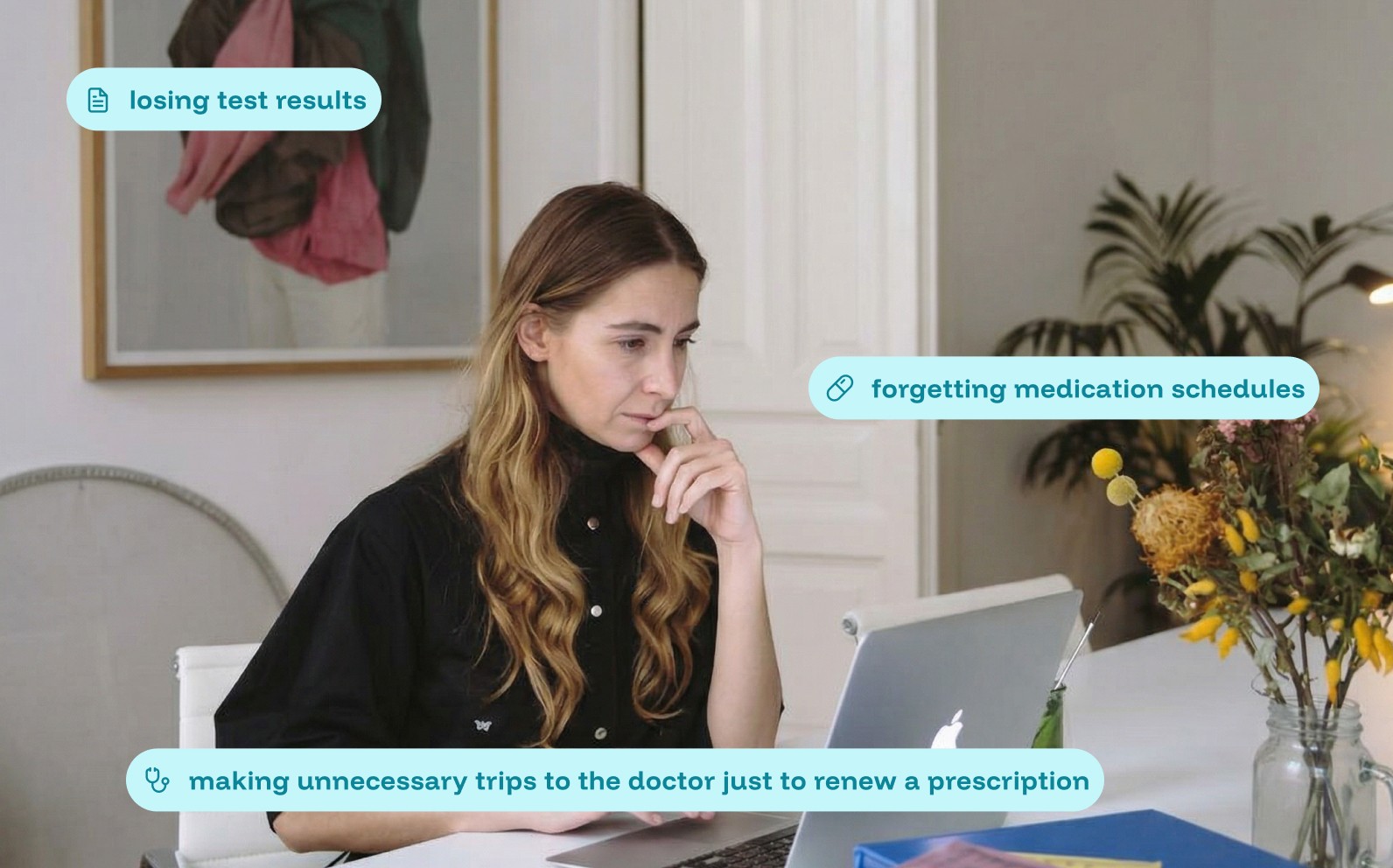
Paper cards get lost, instructions are unclear, and there's no way to track your health over time. We spoke with patients across different demographics—young adults, pensioners, parents, chronic disease patients—and found the same frustrations:
With mobile usage growing it felt natural that medical records should live where people already spend their time: on their phones.
Through interviews, we identified what each type of patient actually wanted from a digital health tool:
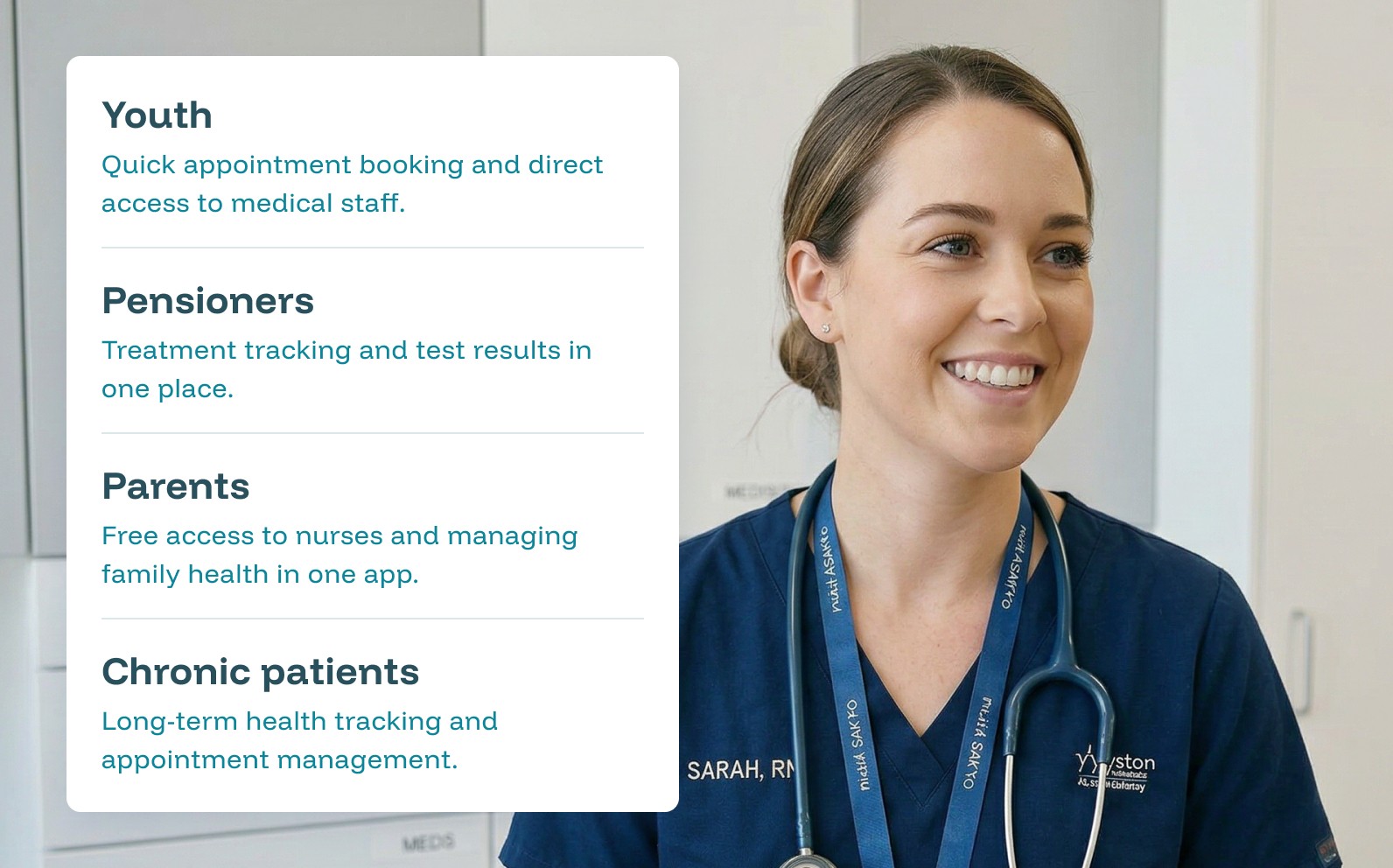
From these insights, we structured the app around four sections: Reminders, Calendar, Profile, and E-Recipes — each designed to solve a specific job.
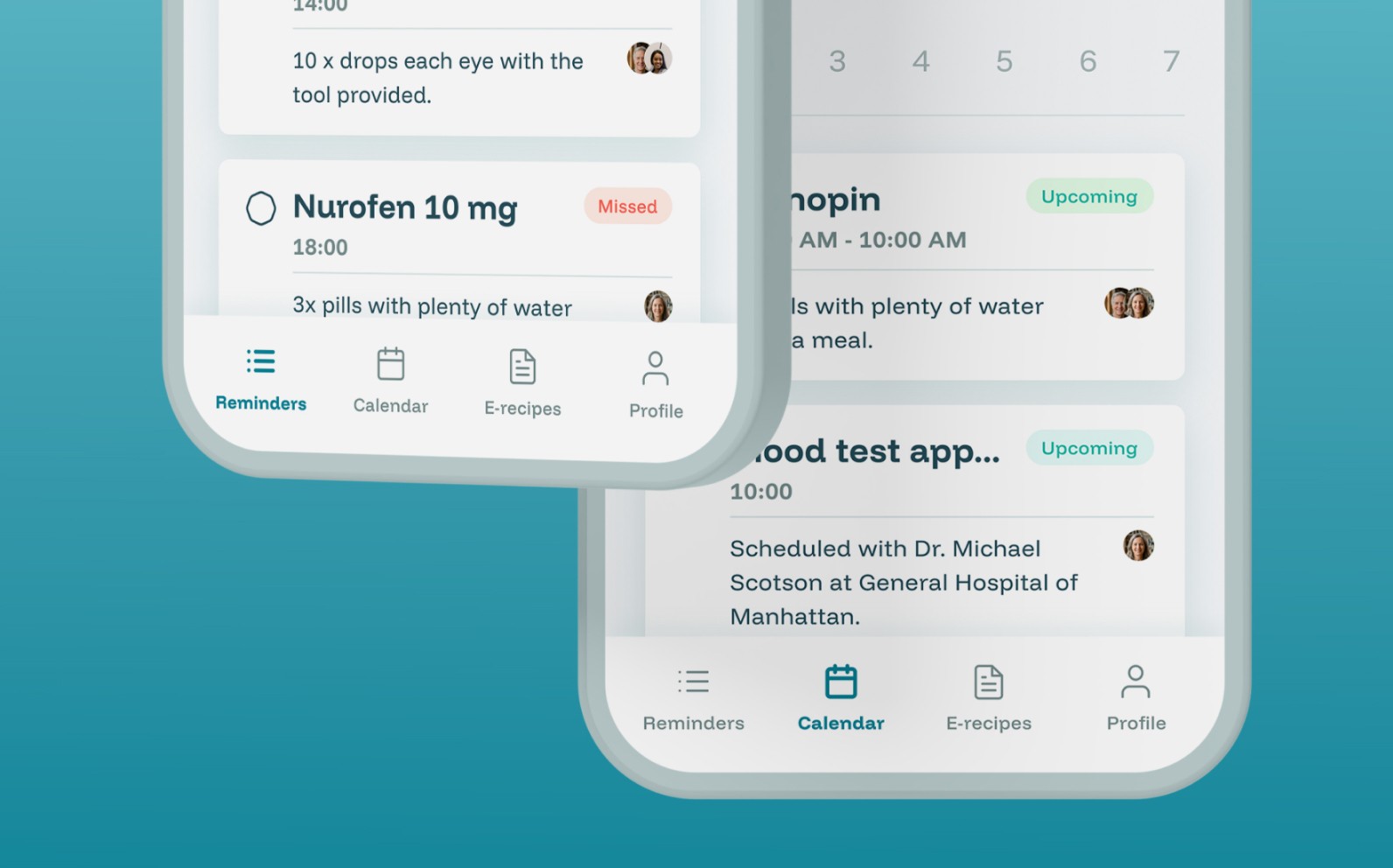
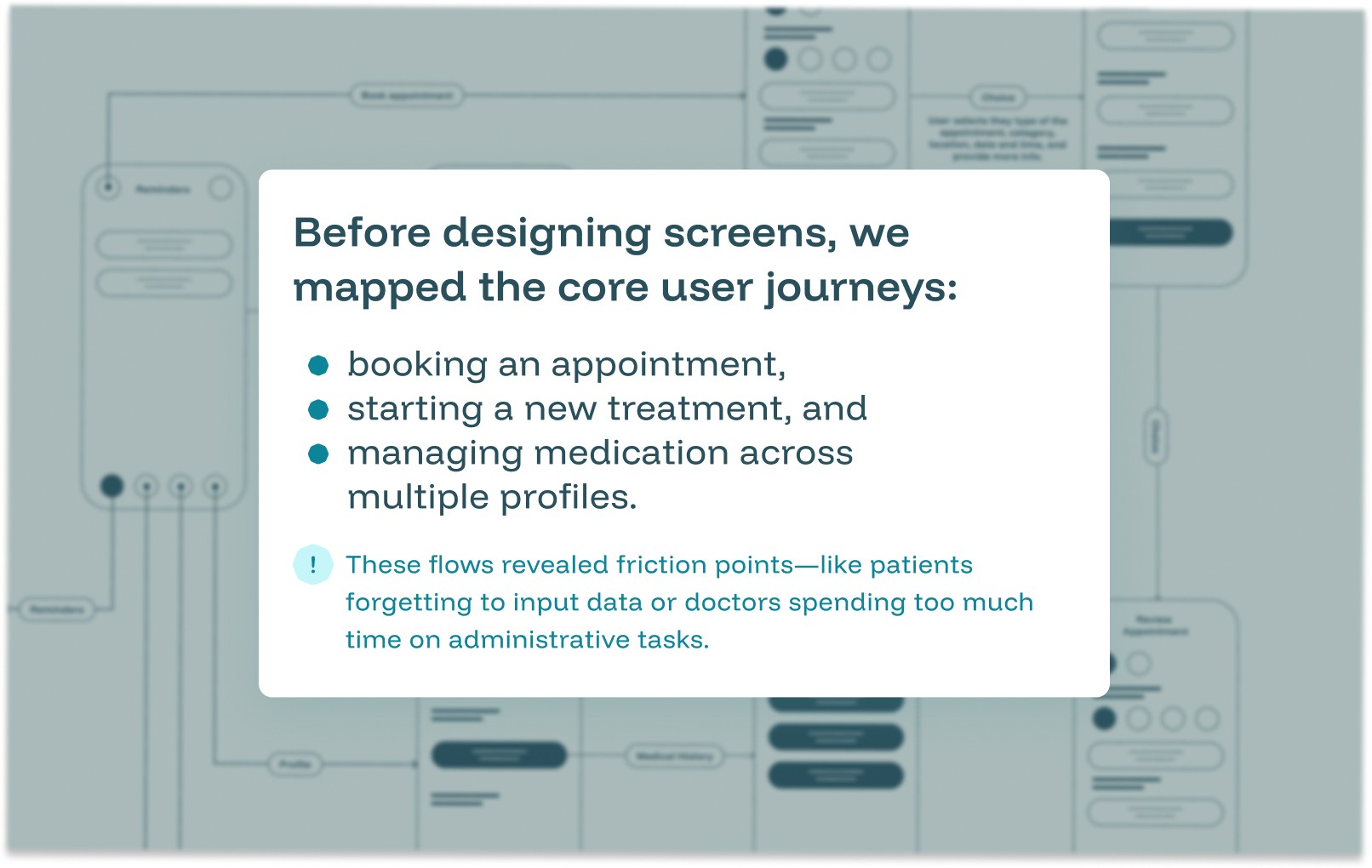
Mapping the critical paths
TO DO
Making healthcare proactive, not reactive
The "To Do" section keeps patients on track with three key functions:
1. Book appointments with context
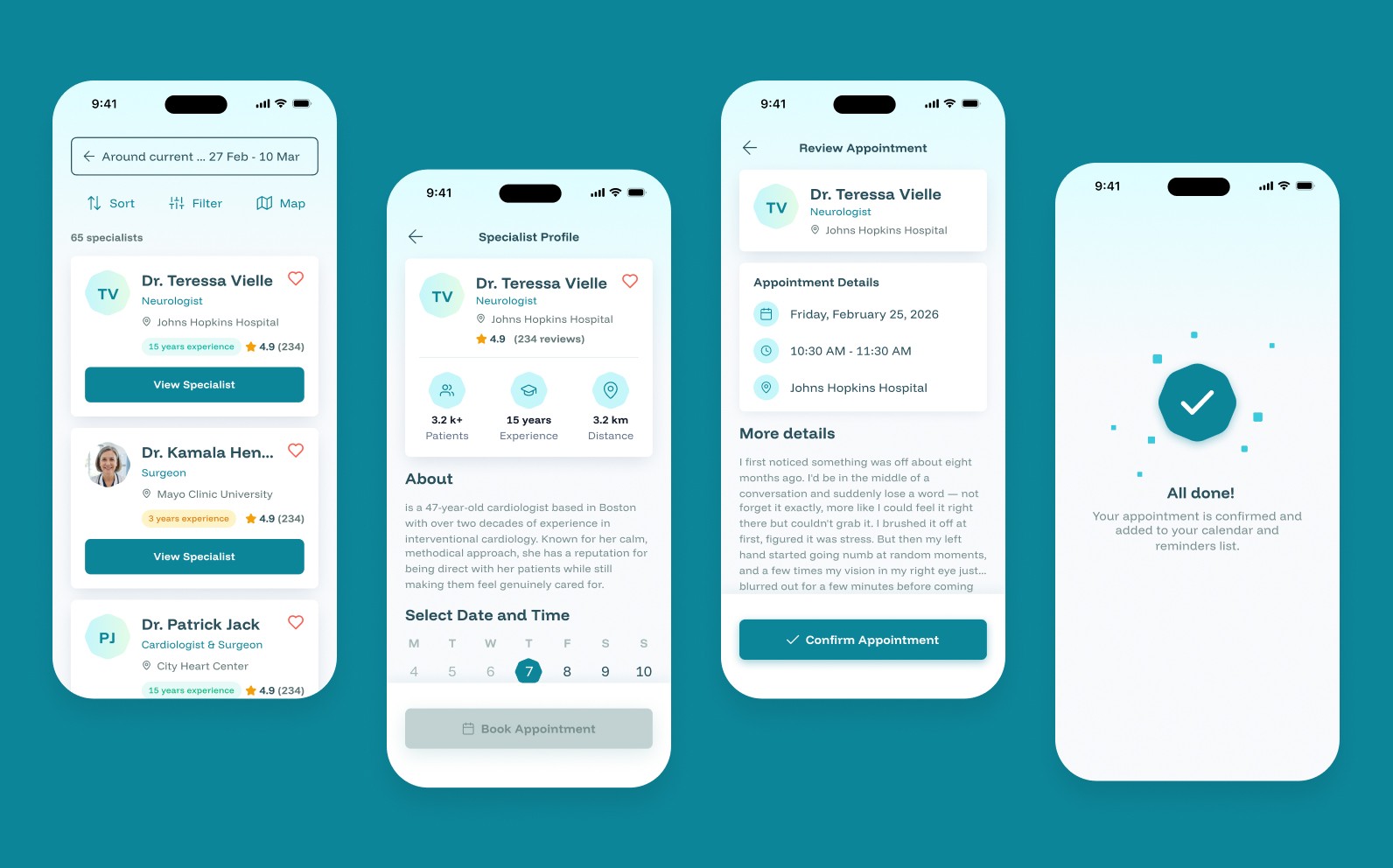
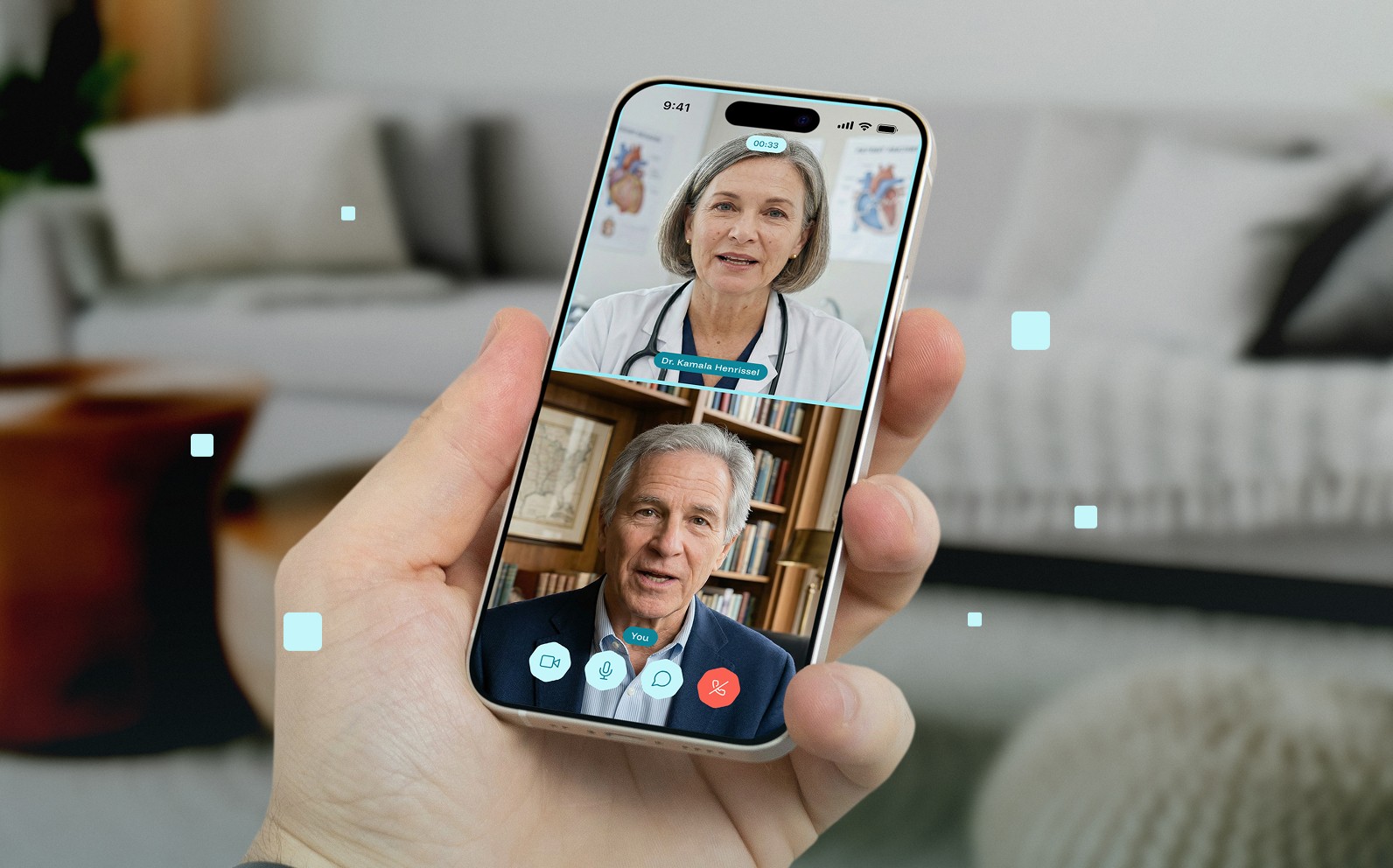
Patients select a hospital, doctor, and time—but also send a brief description of their concern ahead of time. This gives doctors better preparation and increases the chance of resolving issues in a single visit. We also added video call appointments for faster care without the commute.
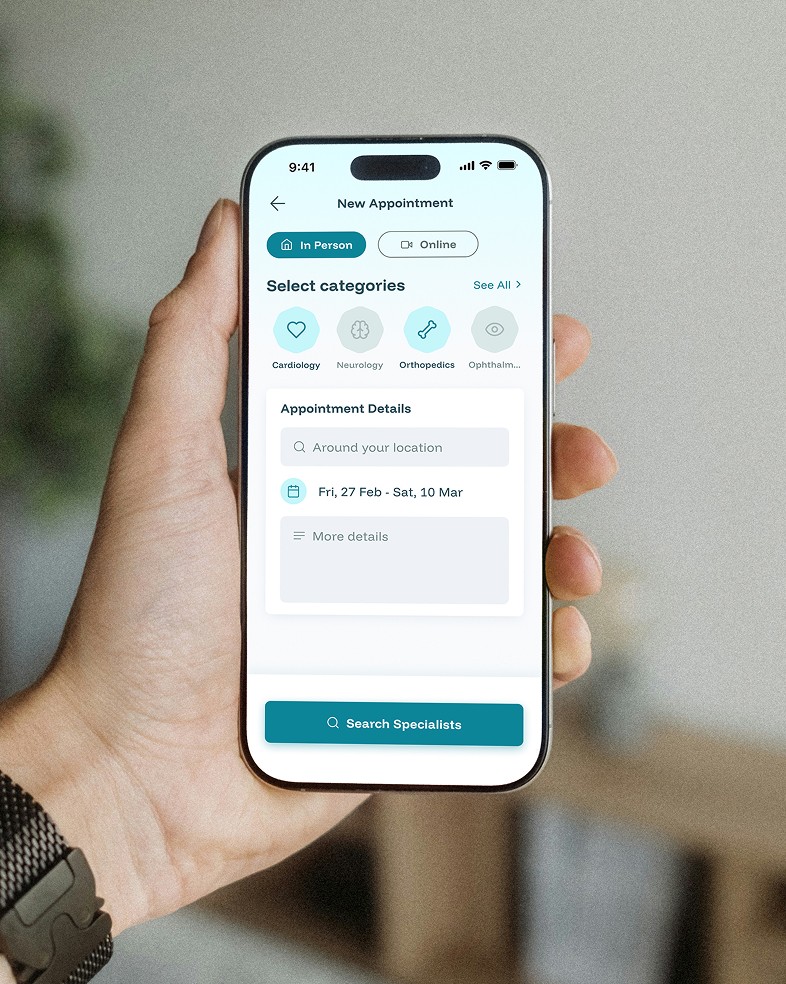
I tested three versions of the appointment booking flow. The first required too many steps; the second didn't give doctors enough context. The final version balanced speed with useful information—patients could book in under 60 seconds while still providing doctors with preparation time.
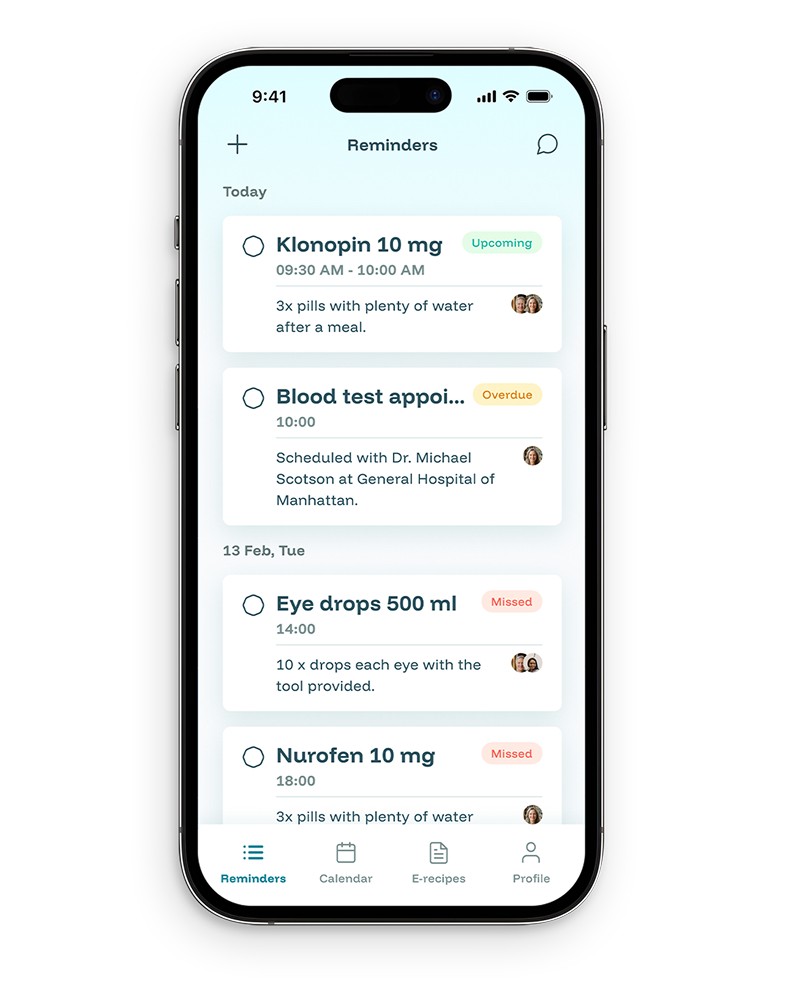
2. Track activities across profiles
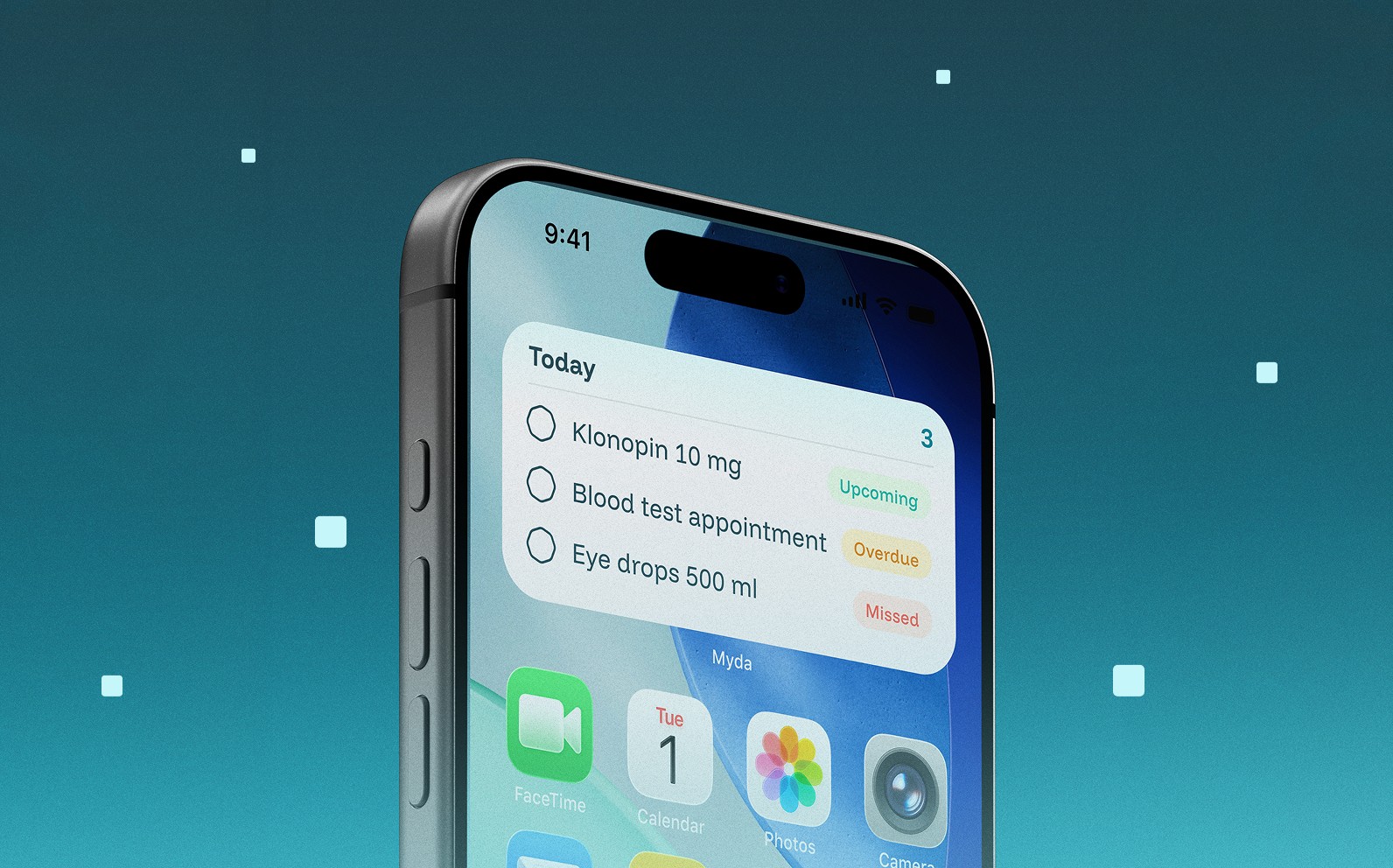
Notifications remind users about medication, appointments, and treatments—not just for themselves, but for family members in their care. Marking tasks as "done" syncs with the calendar for future reference.
3. Chat with AI assistant or nurse
We hypothesized that many appointments could be avoided if patients could ask quick questions first. By offering nurse chat, patients get faster answers and doctors can focus on more severe cases.
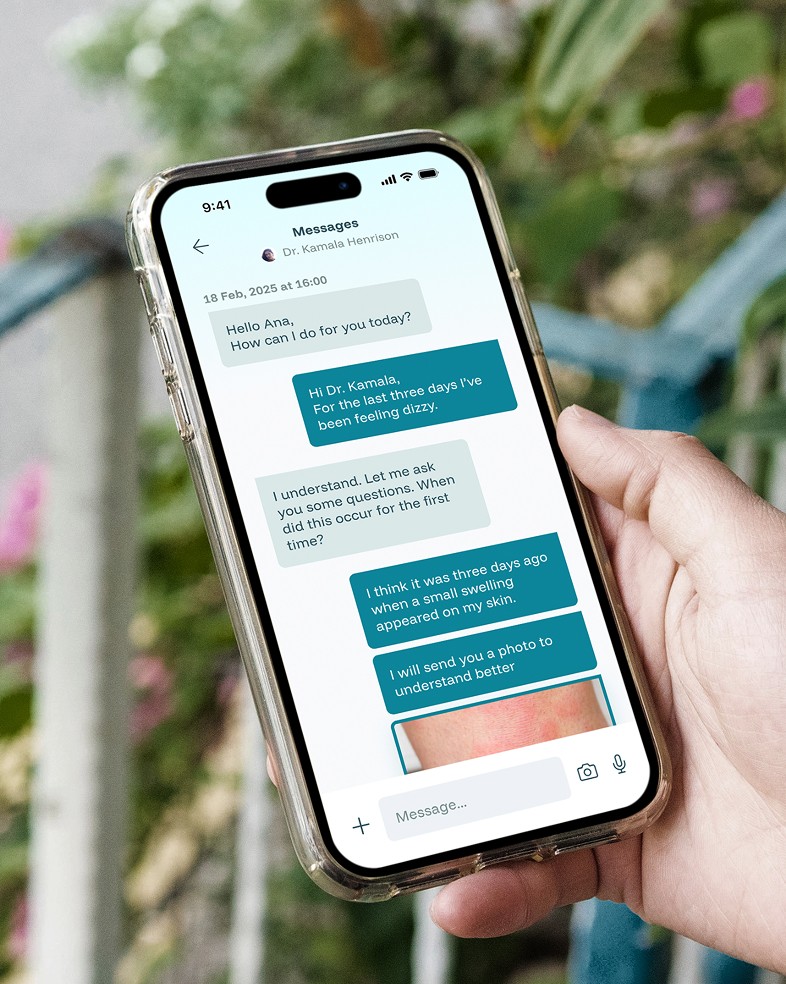
"I just need to know if this is urgent or if it can wait. I don't want to waste the doctor's time, but I also don't want to ignore something serious."
CALENDAR
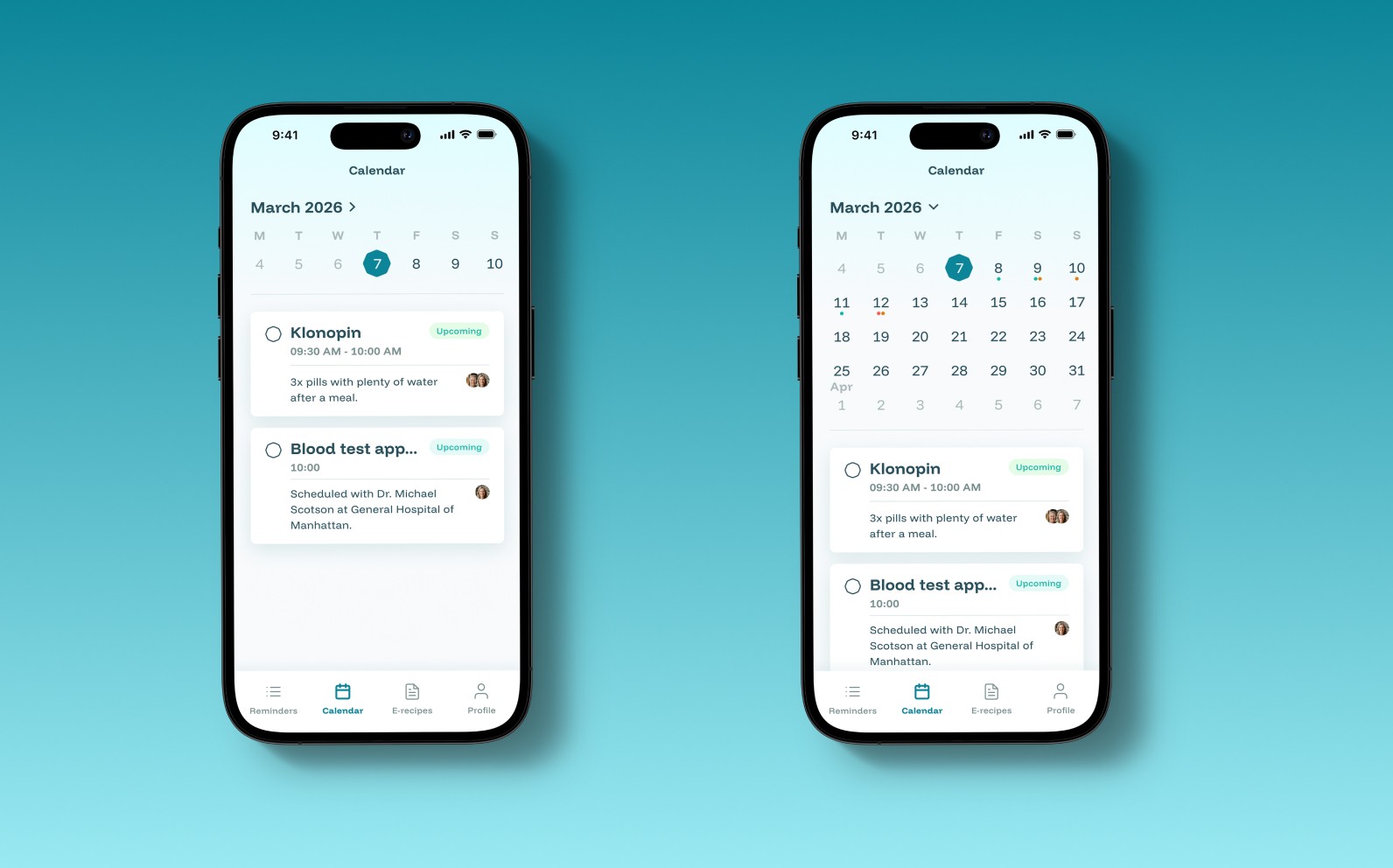
Automatic treatment syncing
Once a doctor prescribes treatment, it automatically appears in the patient's calendar. No need to manually set reminders or decipher instructions on pill bottles—the app handles the entire medication schedule. We built this to reduce the cognitive load of managing complex treatments.
PROFILE
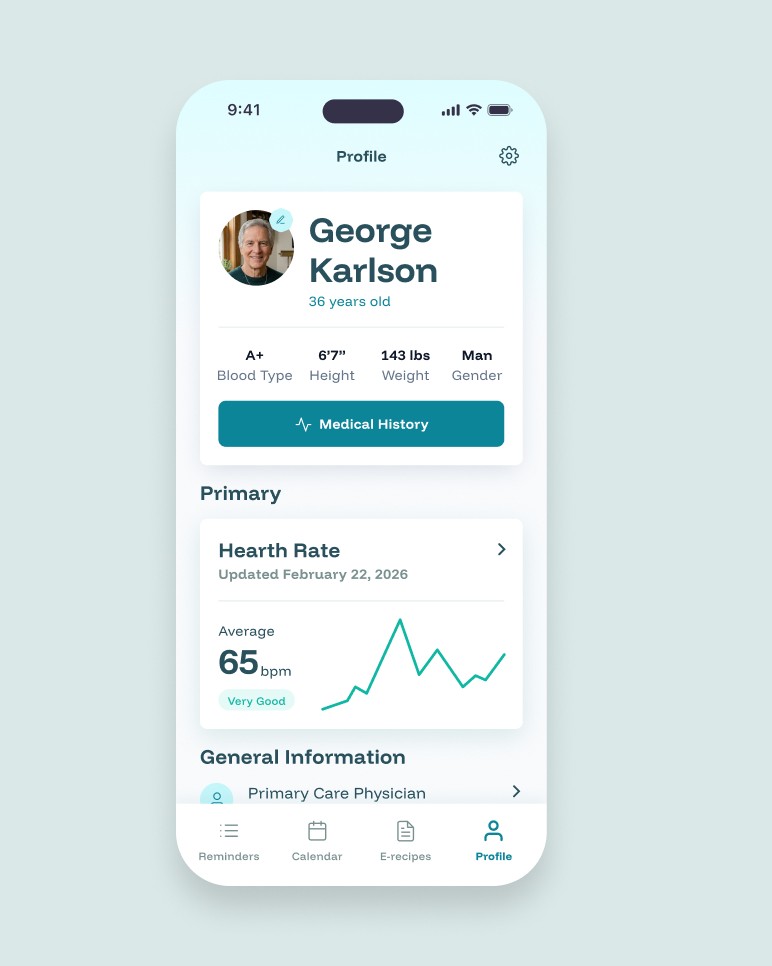
Visual health tracking over time
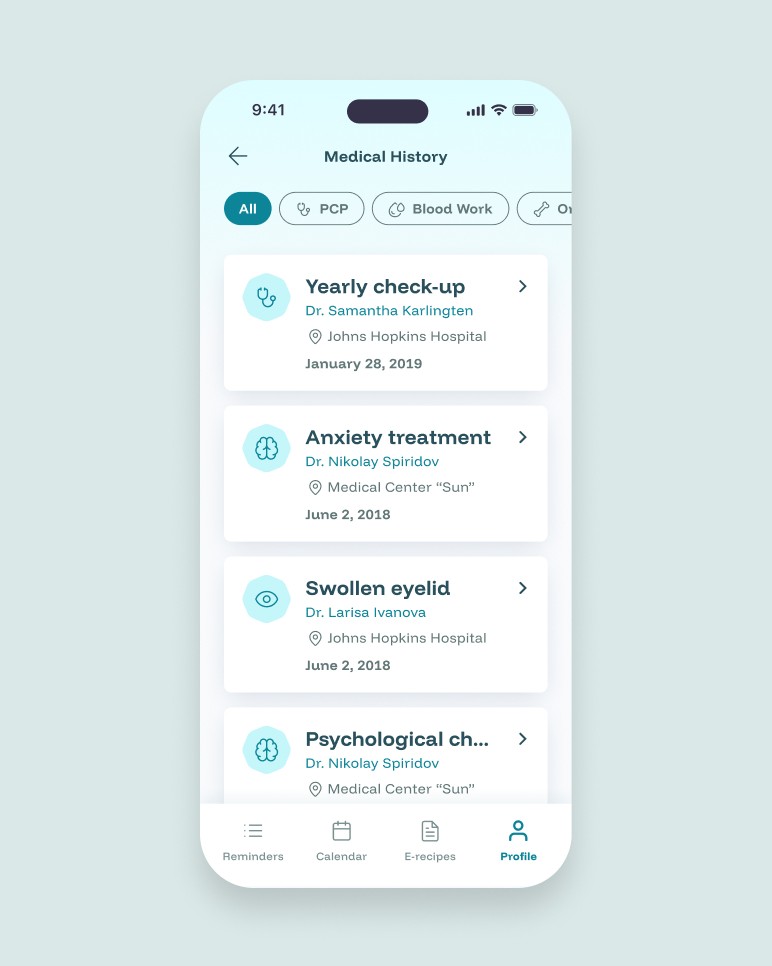
The profile displays essential patient information and health metrics tracked over time.
From here, users access their complete medical history. Users can view all appointments in order or filter by health category—PCP, blood work, orthopedics, etc.
E-RECIPES
Eliminating unnecessary visits
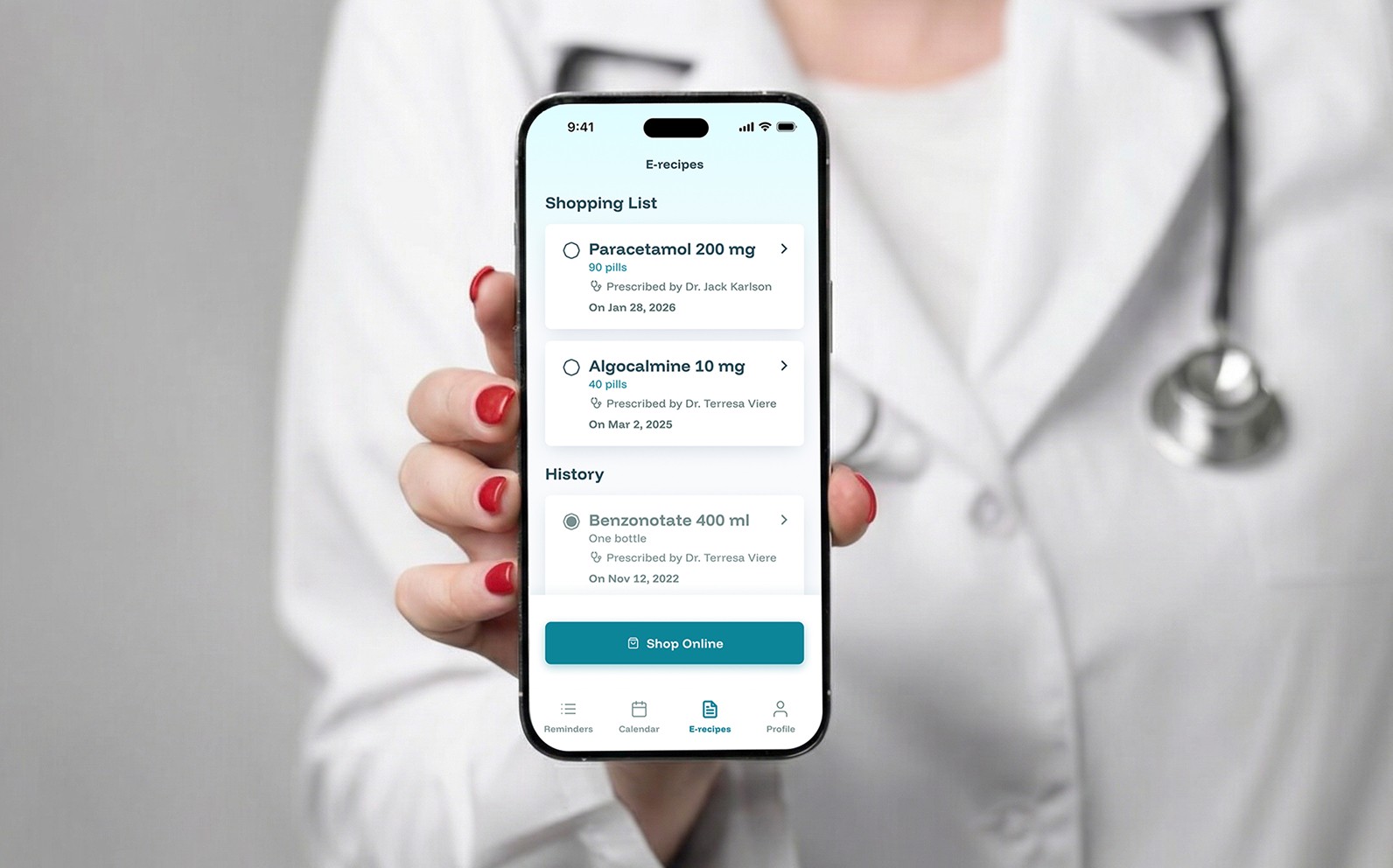
Electronic prescriptions are created automatically when a doctor adds treatment. Patients can renew prescriptions through the app without scheduling another visit. This was one of the most requested features from our interviews—people hated going back to the doctor just for a refill.
Connecting doctors and patients
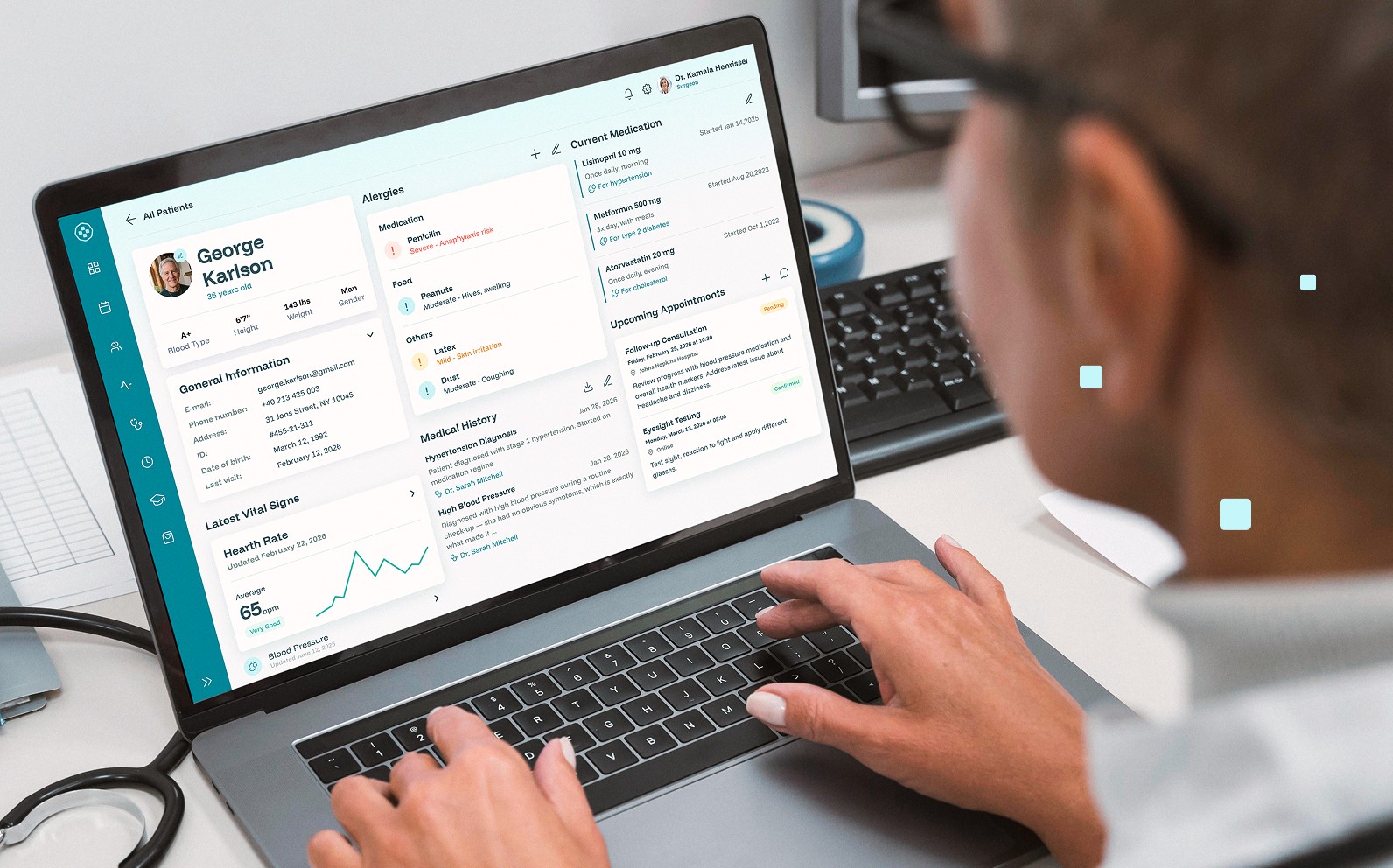
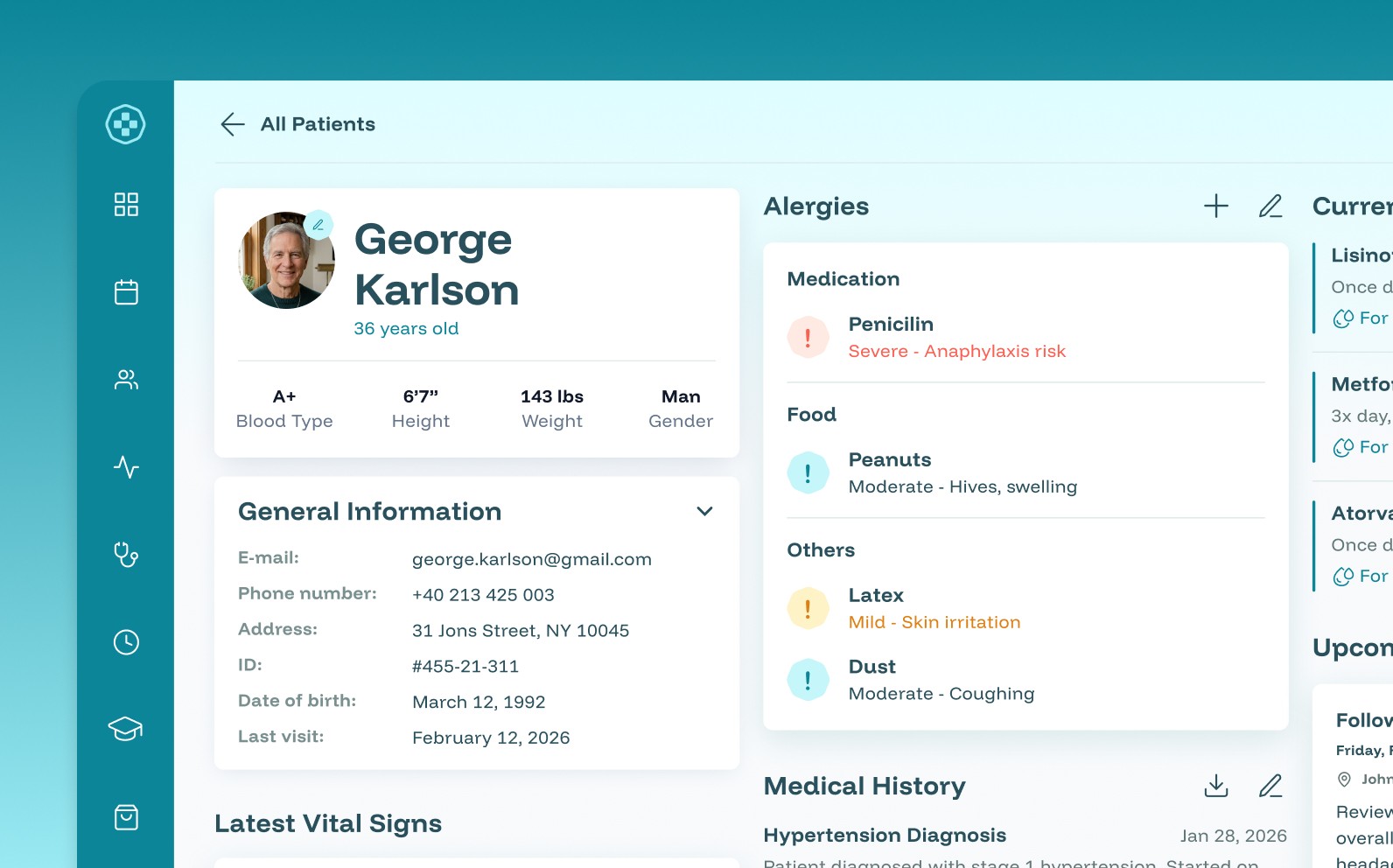
The system works both ways. Doctors use their own interface to start treatments, prescribe medication, and access patient history—all of which syncs instantly with the patient's app. This reduces administrative work for medical staff and eliminates the back-and-forth of paper records.
Design system
Myda is designed for continuous development—new features and integrations would be added over time.
To support this, I developed a modular design system based on reusable components and their states.
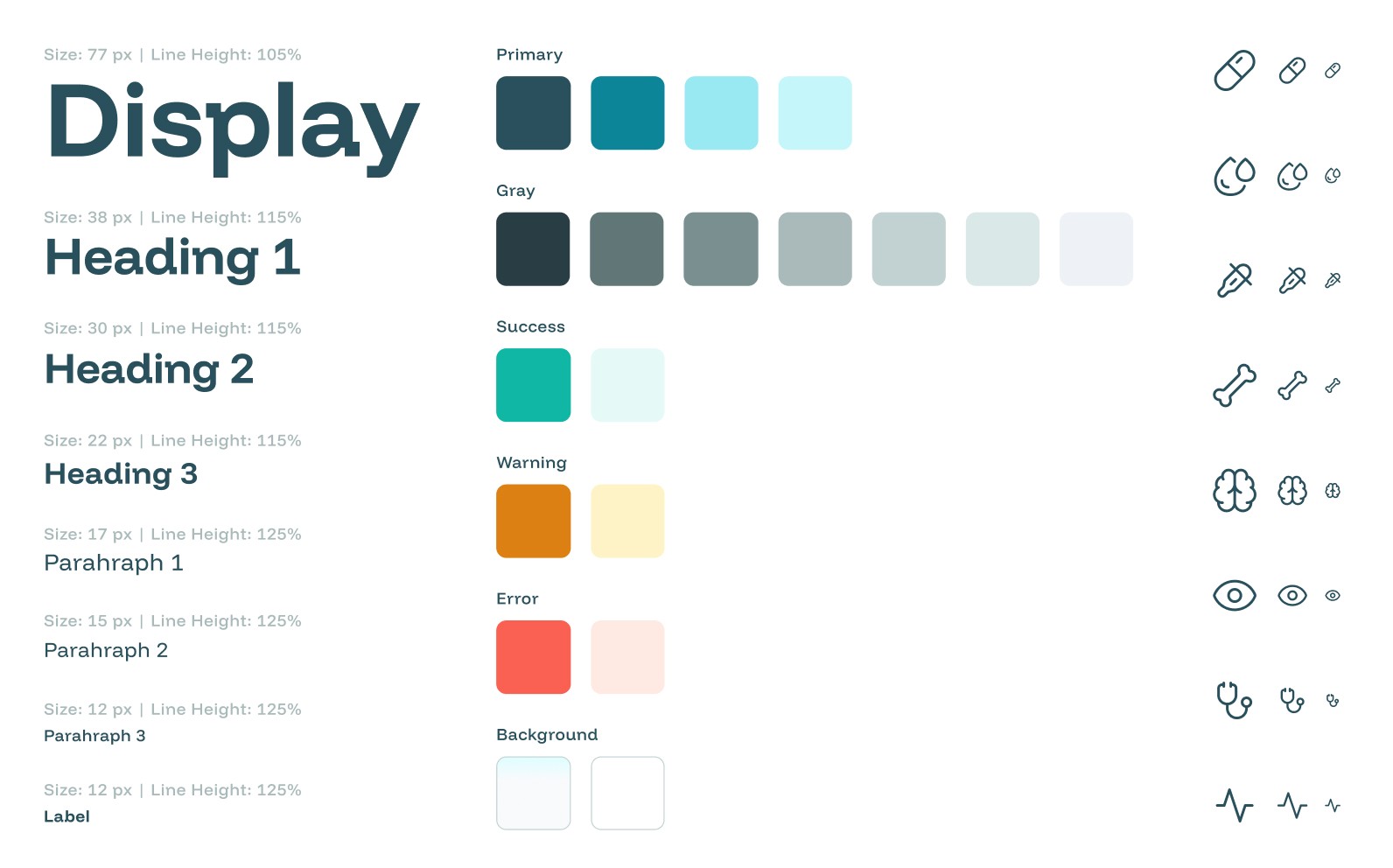
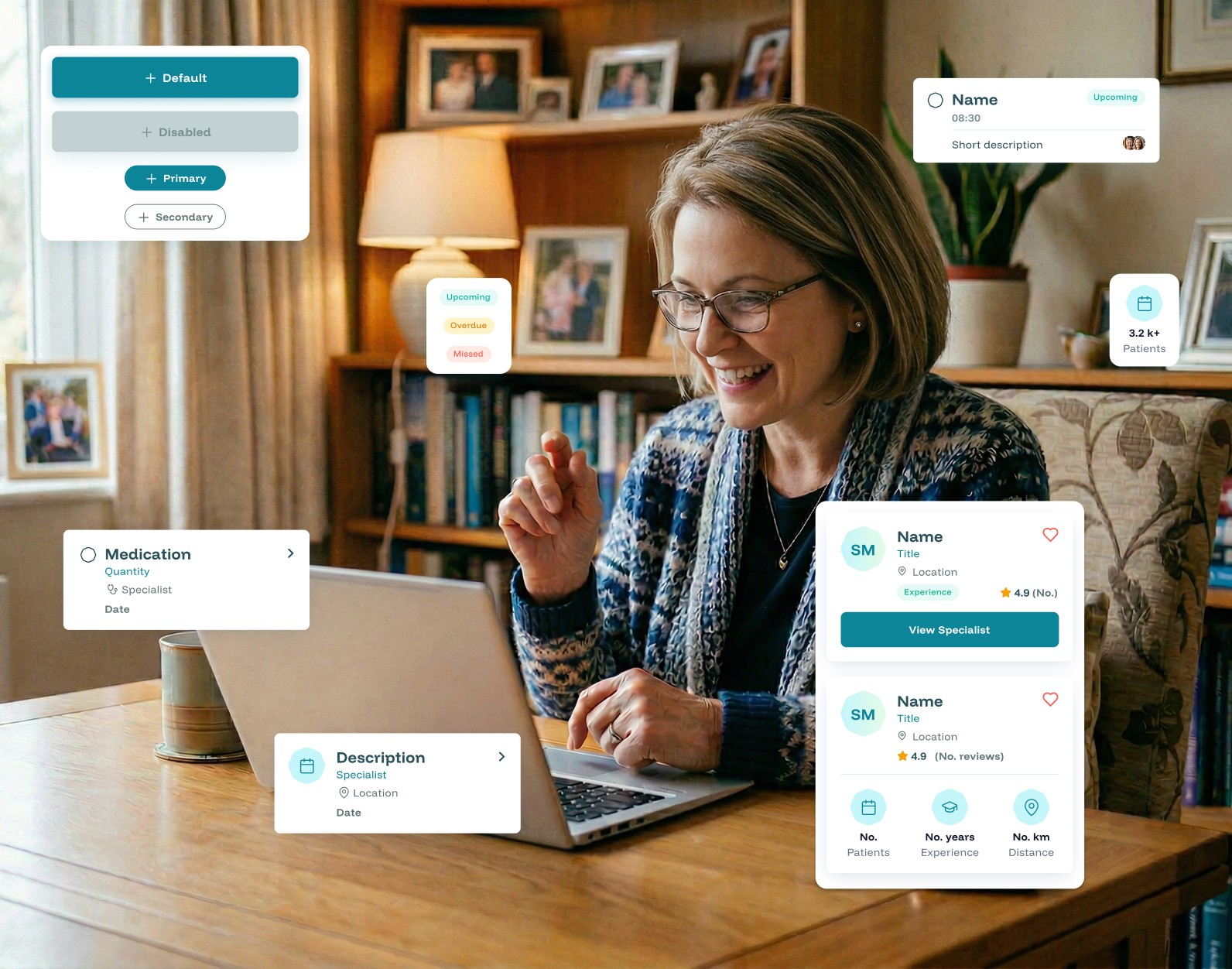
Each component can be combined with others while maintaining visual consistency and recognizable patterns. This approach reduced design-to-dev handoff time and ensured that new features would inherit the same visual language without redesigning from scratch.
UX & UI
Myda
Myda is a mobile health platform that transforms paper medical records into a personal digital assistant. The app puts all your health data—appointments, prescriptions, test results, and treatment plans—in one accessible place, while connecting patients directly with doctors and nurses.
I helped shape the product's user experience and visual identity from concept to completion.
My role
User research and strategy
UX and UI design
Design system and visual identity
Results
Reduction in missed appointments through calendar sync
Improved treatment adherence rates
Decrease in unnecessary doctor visits via nurse and AI chat
Eliminated prescription renewal visits for chronic patients
Medical records are broken for most people.
Paper cards get lost, instructions are unclear, and there's no way to track your health over time. We spoke with patients across different demographics—young adults, pensioners, parents, chronic disease patients—and found the same frustrations:
With mobile usage growing it felt natural that medical records should live where people already spend their time: on their phones.
Through interviews, we identified what each type of patient actually wanted from a digital health tool:
From these insights, we structured the app around four sections: Reminders, Calendar, Profile, and E-Recipes — each designed to solve a specific job.
Mapping the critical paths
TO DO
Making healthcare proactive, not reactive
The "To Do" section keeps patients on track with three key functions:
1. Book appointments with context
Patients select a hospital, doctor, and time—but also send a brief description of their concern ahead of time. This gives doctors better preparation and increases the chance of resolving issues in a single visit. We also added video call appointments for faster care without the commute.
I tested three versions of the appointment booking flow. The first required too many steps; the second didn't give doctors enough context. The final version balanced speed with useful information—patients could book in under 60 seconds while still providing doctors with preparation time.
2. Track activities across profiles
Notifications remind users about medication, appointments, and treatments—not just for themselves, but for family members in their care. Marking tasks as "done" syncs with the calendar for future reference.
3. Chat with AI assistant or nurse
We hypothesized that many appointments could be avoided if patients could ask quick questions first. By offering nurse chat, patients get faster answers and doctors can focus on more severe cases.
"I just need to know if this is urgent or if it can wait. I don't want to waste the doctor's time, but I also don't want to ignore something serious."
CALENDAR
Automatic treatment syncing
Once a doctor prescribes treatment, it automatically appears in the patient's calendar. No need to manually set reminders or decipher instructions on pill bottles—the app handles the entire medication schedule. We built this to reduce the cognitive load of managing complex treatments.
PROFILE
Visual health tracking over time
The profile displays essential patient information and health metrics tracked over time.
From here, users access their complete medical history. Users can view all appointments in order or filter by health category—PCP, blood work, orthopedics, etc.
E-RECIPES
Eliminating unnecessary visits
Electronic prescriptions are created automatically when a doctor adds treatment. Patients can renew prescriptions through the app without scheduling another visit. This was one of the most requested features from our interviews—people hated going back to the doctor just for a refill.
Connecting doctors and patients
The system works both ways. Doctors use their own interface to start treatments, prescribe medication, and access patient history—all of which syncs instantly with the patient's app. This reduces administrative work for medical staff and eliminates the back-and-forth of paper records.
Design system
Myda is designed for continuous development—new features and integrations would be added over time.
To support this, I developed a modular design system based on reusable components and their states.
Each component can be combined with others while maintaining visual consistency and recognizable patterns. This approach reduced design-to-dev handoff time and ensured that new features would inherit the same visual language without redesigning from scratch.
UX & UI
Myda
Myda is a mobile health platform that transforms paper medical records into a personal digital assistant. The app puts all your health data—appointments, prescriptions, test results, and treatment plans—in one accessible place, while connecting patients directly with doctors and nurses.
I helped shape the product's user experience and visual identity from concept to completion.
My role
User research and strategy
UX and UI design
Design system and visual identity
Results
Reduction in missed appointments through calendar sync
Improved treatment adherence rates
Decrease in unnecessary doctor visits via nurse and AI chat
Eliminated prescription renewal visits for chronic patients
Medical records are broken for most people.
The project began with a collaborative discovery session where I sat down with the Learning Lab team to deeply understand their mission, audience, and long-term vision. We explored what sets them apart, the emotions they wanted the brand to evoke, and the practical challenges they faced in communicating their message visually.
Based on this conversation, I put together a comprehensive creative brief that outlined the brand’s core values — commitment, accountability and proactivity — and set the foundation for the visual direction. This document became the reference point throughout the project, ensuring every design decision aligned with Learning Lab’s goals.
With mobile usage growing it felt natural that medical records should live where people already spend their time: on their phones.
Through interviews, we identified what each type of patient actually wanted from a digital health tool:
From these insights, we structured the app around four sections: Reminders, Calendar, Profile, and E-Recipes — each designed to solve a specific job.
Mapping the critical paths
TO DO
Making healthcare proactive, not reactive
The "To Do" section keeps patients on track with three key functions:
1. Book appointments with context
Patients select a hospital, doctor, and time—but also send a brief description of their concern ahead of time. This gives doctors better preparation and increases the chance of resolving issues in a single visit. We also added video call appointments for faster care without the commute.
I tested three versions of the appointment booking flow. The first required too many steps; the second didn't give doctors enough context. The final version balanced speed with useful information—patients could book in under 60 seconds while still providing doctors with preparation time.
2. Track activities across profiles
Notifications remind users about medication, appointments, and treatments—not just for themselves, but for family members in their care. Marking tasks as "done" syncs with the calendar for future reference.
3. Chat with AI assistant or nurse
We hypothesized that many appointments could be avoided if patients could ask quick questions first. By offering nurse chat, patients get faster answers and doctors can focus on more severe cases.
"I just need to know if this is urgent or if it can wait. I don't want to waste the doctor's time, but I also don't want to ignore something serious."
CALENDAR
Automatic treatment syncing
Once a doctor prescribes treatment, it automatically appears in the patient's calendar. No need to manually set reminders or decipher instructions on pill bottles—the app handles the entire medication schedule. We built this to reduce the cognitive load of managing complex treatments.
PROFILE
Visual health tracking over time
The profile displays essential patient information and health metrics tracked over time.
From here, users access their complete medical history. Users can view all appointments in order or filter by health category—PCP, blood work, orthopedics, etc.
E-RECIPES
Eliminating unnecessary visits
Electronic prescriptions are created automatically when a doctor adds treatment. Patients can renew prescriptions through the app without scheduling another visit. This was one of the most requested features from our interviews—people hated going back to the doctor just for a refill.
Connecting doctors and patients
The system works both ways. Doctors use their own interface to start treatments, prescribe medication, and access patient history—all of which syncs instantly with the patient's app. This reduces administrative work for medical staff and eliminates the back-and-forth of paper records.
Design system
Myda is designed for continuous development—new features and integrations would be added over time.
To support this, I developed a modular design system based on reusable components and their states.
Each component can be combined with others while maintaining visual consistency and recognizable patterns. This approach reduced design-to-dev handoff time and ensured that new features would inherit the same visual language without redesigning from scratch.